
One thread per sub. One place for the whole job.
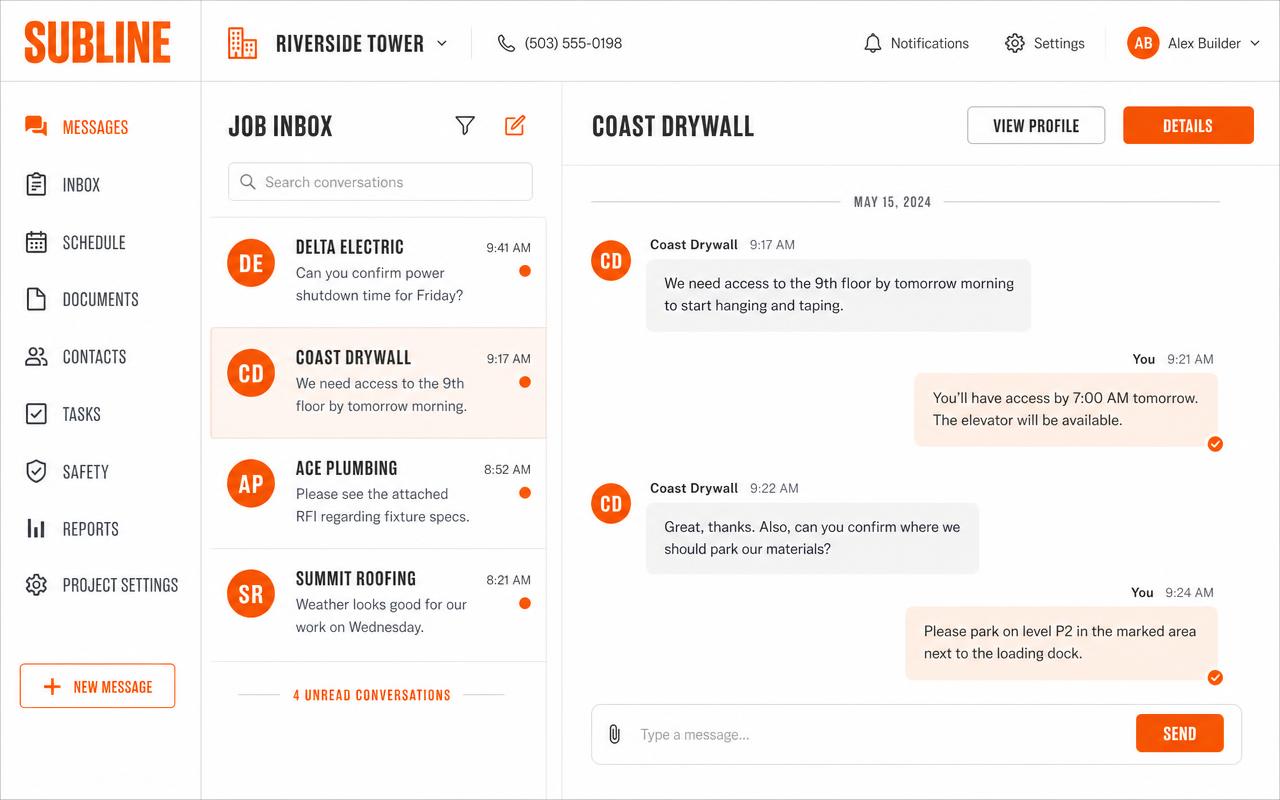
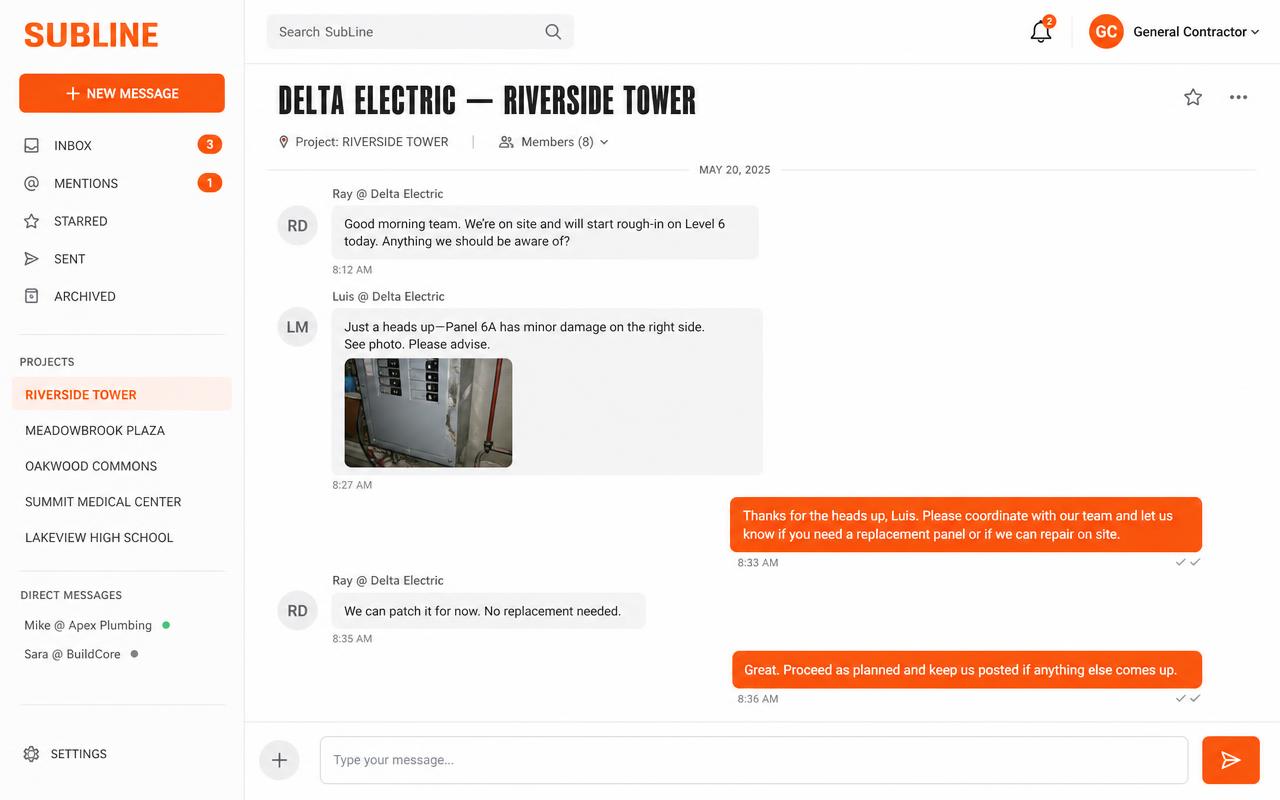
Each job gets its own texting number. Each subcontractor gets their own thread — shared by their whole crew, never seen by your other subs. Your team works every thread from one inbox.
Riverside Tower — Job
(415) 555-0142
- Delta Electric
- Coast Drywall
- Ace Plumbing
- Summit Roofing
Delta Electric thread
Ray @ Delta Electric
Panel schedule changed on level 3 — need it before Thursday.Luis @ Delta Electric
Got it — crew will be staged at 6:45.Jobsite communication breaks in the same three places
Requests vanish into personal texts
A change order sent from a super's own phone is invisible to everyone else on the job.
No record of who was told what
When the schedule slips, nobody can prove the sub was notified — or when.
The same message, five times over
Relaying one update to every sub's crew burns the field team's whole morning.
How it works
- 1
Add the job
SubLine provisions a dedicated texting number for that jobsite automatically.
- 2
Add your subs and their crews
Each contact gets one compliant opt-in text. Reply YES and they're in.
- 3
Text each sub — or the whole job
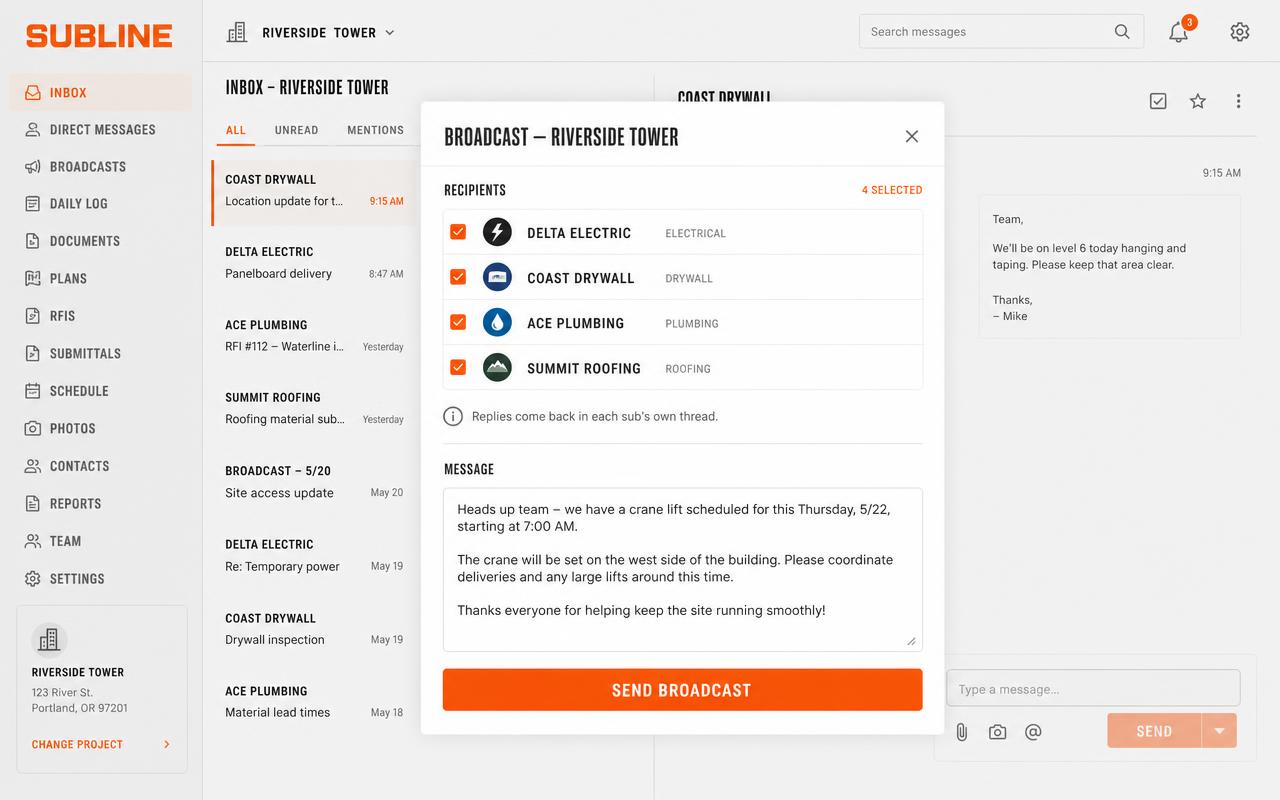
Message one sub and their entire crew sees it in that sub's thread, or broadcast to every sub on the project at once.
See it in action
A quick look at how a job runs inside SubLine.
Scroll sideways to see more.
What you get out of it
Faster field communication
One message reaches a sub's whole crew instantly — no phone tree.
Broadcast to the whole job
Send one announcement to every sub on the project at once; replies come back in each sub's own thread.
Text from computer or phone
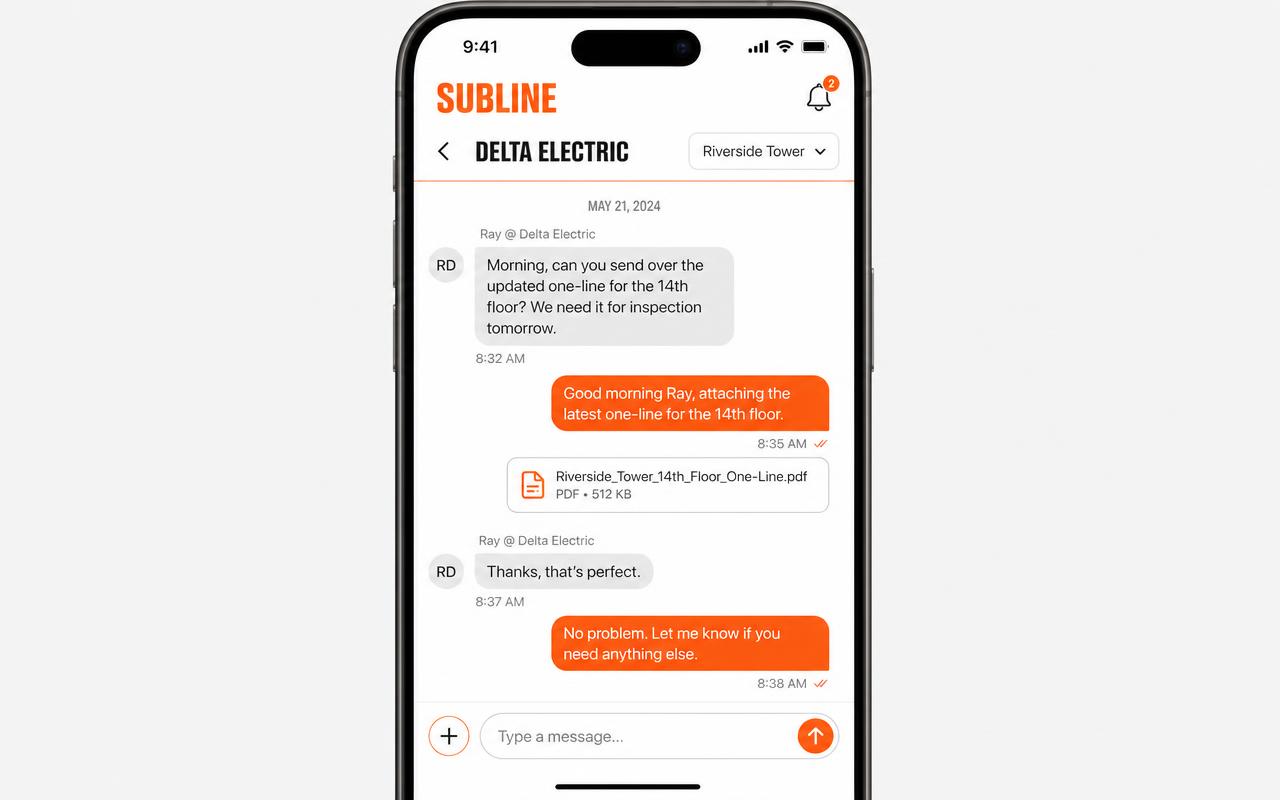
Your team works from a full desktop inbox or their phone. Subs only ever get plain SMS.
Nothing gets lost
Every request lives in the sub's job thread, not in someone's personal phone.
Permanent message history
Searchable record of who was told what, and exactly when.
Photos and files in-thread
Send jobsite photos, plans and documents right from the composer.
A number per job
Threads never mix, even when a sub works three of your jobs at once.
Roles and permissions
Control who can create jobs, add subs, add crew members and send.
How it compares
SubLine is as searchable and as formal as email, but it lands in minutes and reaches every enrolled crew member the way subs actually work.
| What matters on a job | SubLine | iMessage / group text | ||
|---|---|---|---|---|
| Sub needs to install anything | No — plain SMS | Green-bubble threads on Android | Yes — WhatsApp required | Needs an inbox he checks |
| Works on every phone | Any phone that texts | Apple-only in full | Only WhatsApp users | Technically |
| Speed to the field | Minutes | Minutes | Minutes | Hours |
| One thread per sub, per job | Automatic | Ad hoc threads | All jobs mixed | Reply-all forks |
| Separate number per job | Dedicated number | Your personal number | One number for all | No |
| Reaches everyone enrolled | Whole crew, automatically | Whoever was added | Whoever was added | Only the CC line |
| Survives staff turnover | History stays with you | Leaves on his phone | Personal account | If on company email |
| Searchable record | Per job and person | Practically no | Limited, not per job | Email's strength |
| Formal, defensible record | Attributed, timestamped | No | No | Yes |
| Broadcast to all subs | Replies stay separate | Everyone sees everyone | Strict list limits | Reply-all chaos |
| Send from a computer | Full desktop inbox | Mac only | Tied to one phone | Yes |
| Roles and permissions | Yes | None | None | None |
| Opt-in and STOP handling | Built in | Not compliant | Meta template rules | N/A |
| Photos and documents | Kept with the job | Lost in the scroll | Lost in the scroll | Buried in attachments |
| Cost | Predictable per job | “Free” until a dispute | Per-conversation fees | “Free” if anyone reads it |
To be fair: iMessage and WhatsApp are great for talking to people, and email is great for a paper trail. None of them were built to be a jobsite's project record.
Simple, usage-honest pricing
Pay for the jobs you run and the subs you actually text. No setup fees, no seat licenses.
$9.99
per job / month
$2.50
per active sub company / month
Includes 60 text segments per sub company, pooled across the job.
- A dedicated texting number for every job
- Unlimited GC users, roles and permissions included
- Photos and files straight into the thread
- Full, permanent message history per job
- Opt-in consent, STOP and HELP handled for you
Beyond the pooled allowance: $0.040 per text segment, $0.08 per photo message.
Log inFrequently asked
Get the whole jobsite on one thread
Log in